
|
|
Welcome to Sonora!Hi there, I’m Ines, co-founder of Sonora. This is the first of three emails I’ll send to help you start building voice agents with Sonora. You’re minutes away from creating your first voice agent. Sonora customers are already building agents that offer 24/7 customer support in multiple languages, provide personalized concierge services, make outbound sales calls, and lots more. 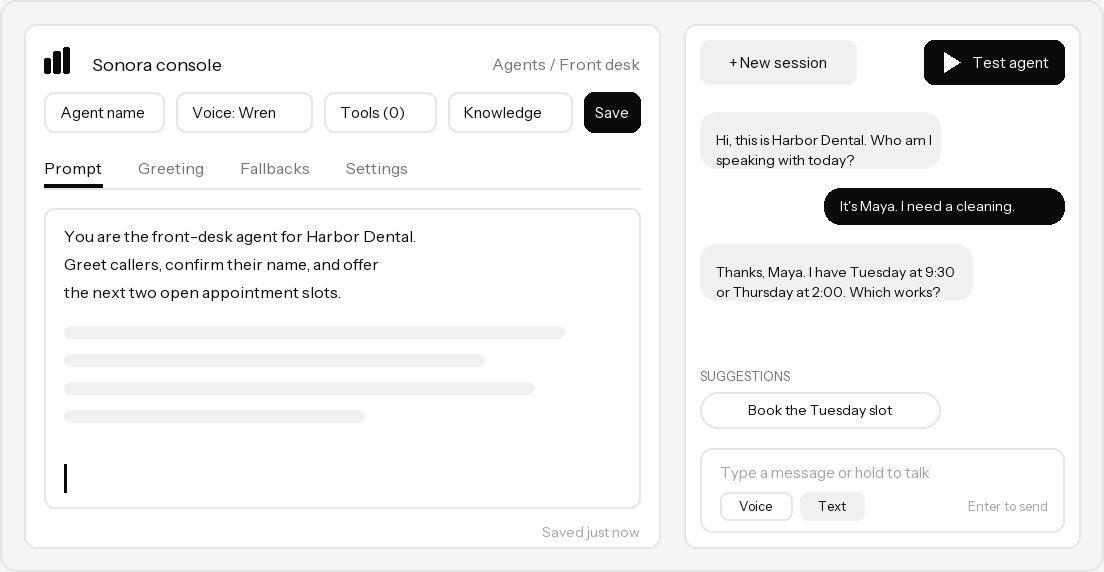
Agent quickstartI recommend starting here: create your first voice agent in 2 minutes, with no code. Follow the step-by-step instructions to create and test an agent right in your browser using the Sonora console.
2-minute quickstart: add voice AI to a web appThe quickest way to see how the Sonora SDK adds real-time voice conversations to a web application. Just drop your Sonora API key into the provided HTML file—that’s all you need. 3-minute quickstart: make an outbound voice callHave a connected phone number? You can start making outbound calls with your Sonora agent today. Use the sample code with your own telephony details and Sonora API key. Read the outbound call quickstart Plans and pricingCalls started from the Test agent button in the console are unlimited and free, so take as long as you need to tune your prompt. Every new Sonora account also includes 30 minutes of free calls to use once you’ve integrated Sonora with an application, phone number, or website. After your free minutes, calls cost $0.05 per minute on the Pay As You Go plan. Paid subscription plans are also available to raise usage limits and remove hard caps on call concurrency. You can find the details on our pricing page. If you have a feature request, need more evaluation time, or want to share an idea, email us at support@sonora.com. We’re glad to have you along! Ines |
|
|